What can IPTVGenie do?
IPTVGenie plays your M3U playlist or your Xtream Codes login: live TV with a programme guide and catch-up, movies and series with Continue Watching, and up to four channels at once. Profiles with parental controls, iCloud sync, widgets and Siri come with it. One app for iPhone, iPad, Mac and Apple TV, and one purchase covers them all.
What does the IPTVGenie start page show?
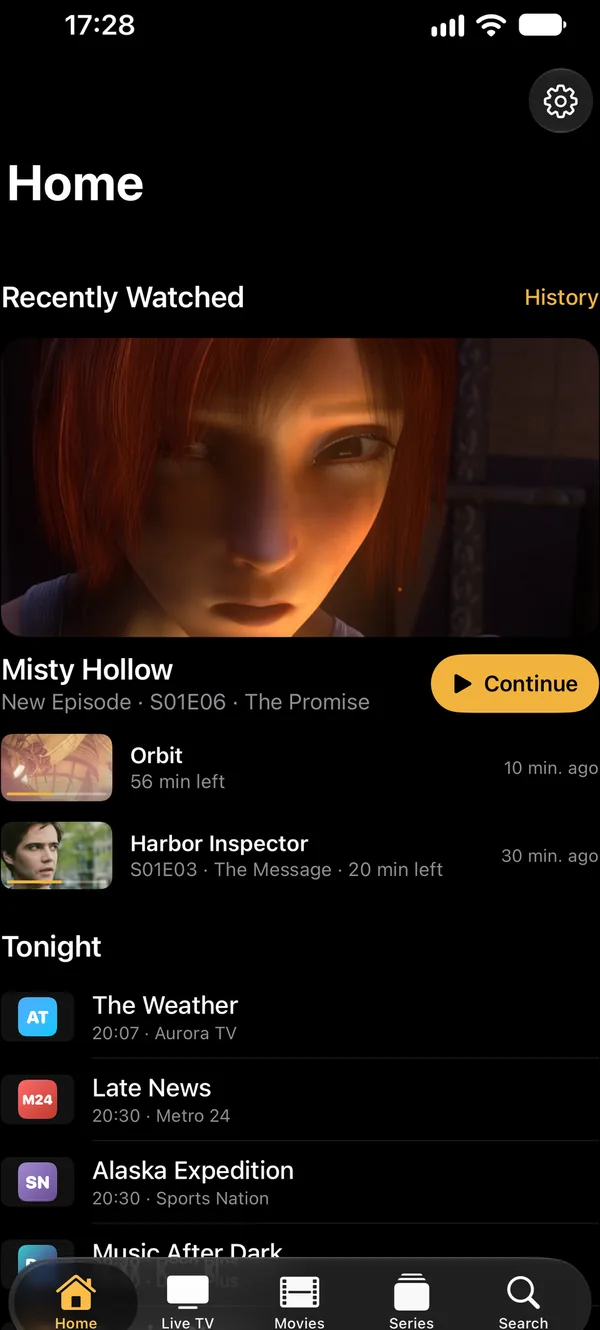
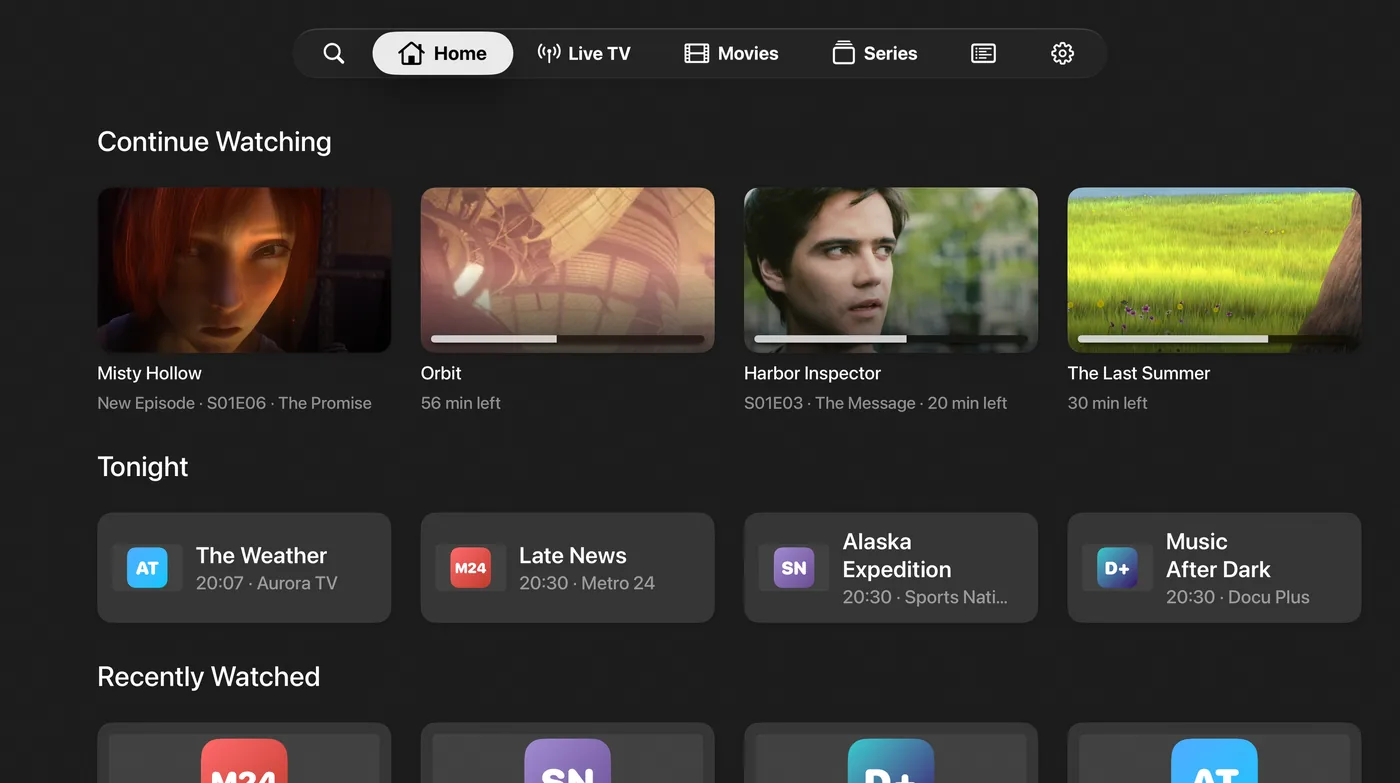
The start page shows everything you watched recently: movies, episodes and channels, with the newest one large at the top. Below are your favorites and most watched channels, without any sideways scrolling. From version 1.3.3, Tonight suggests up to six programmes for the evening from the channels you like most.
- Recently watchedMovies, episodes and channels together, newest first.
- FavoritesFavorite and most watched channels without sideways scrolling.
- TonightFrom version 1.3.3Up to six picks for the evening from your favorites and often watched channels; what is on now starts at once.
- Intro by Apple IntelligenceFrom version 1.3.3Where Apple Intelligence is available, your device writes a short sentence about the picks, on the device itself.
What can IPTVGenie do with live TV?
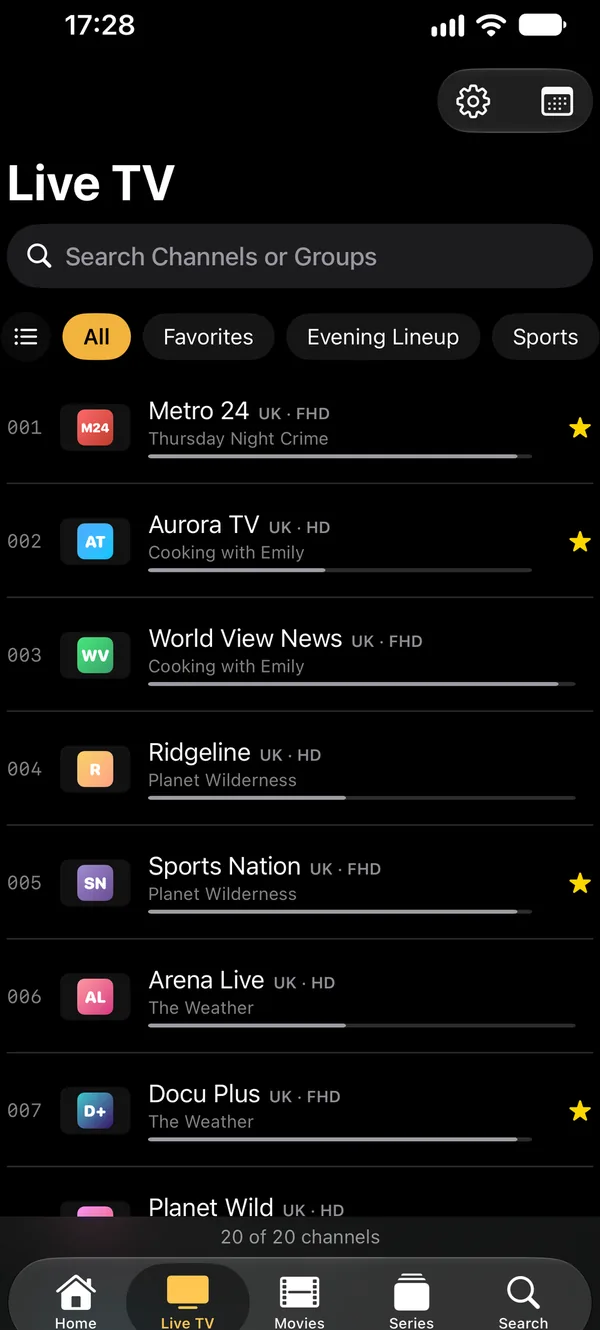
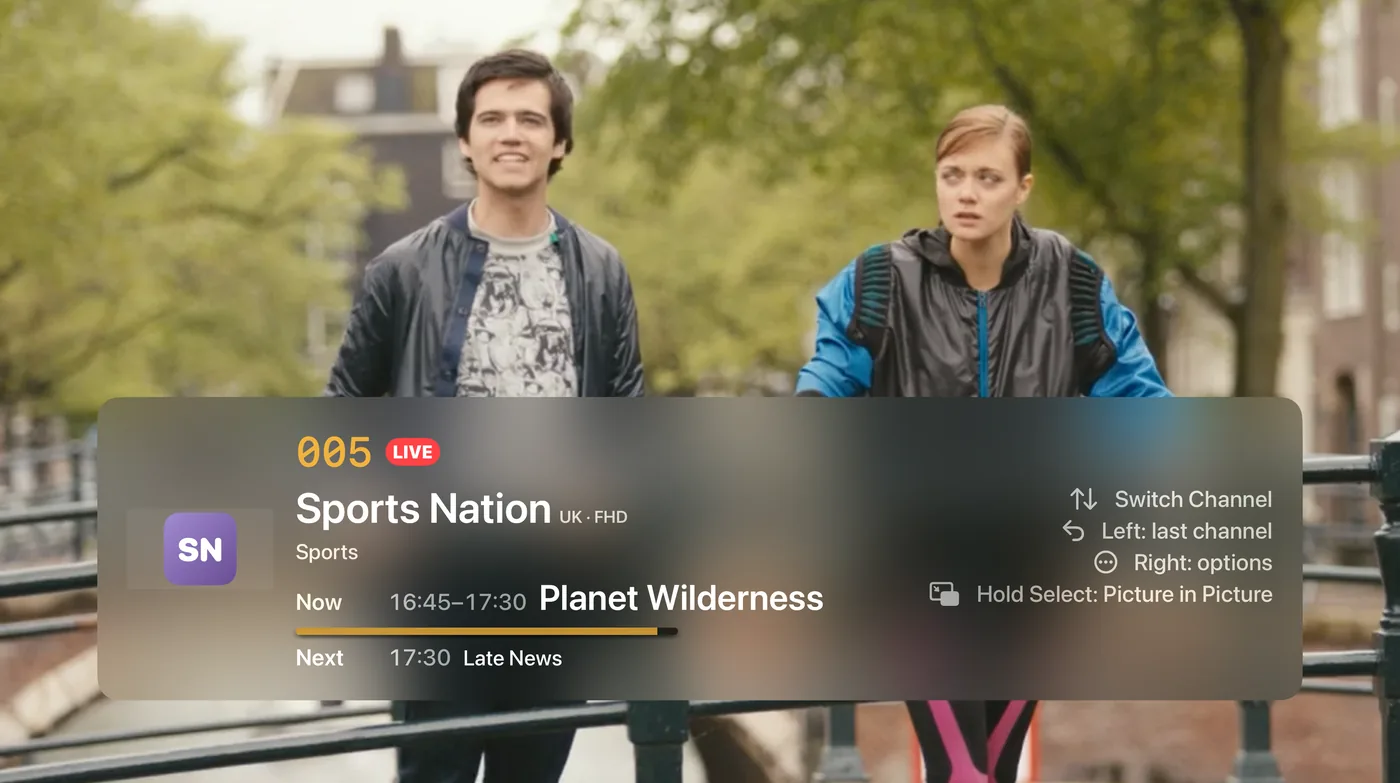
IPTVGenie shows your channel list with logos, groups and search, and switches channels like a TV, with the remote on Apple TV. You create favorites and your own channel lists, reorder groups or hide them. If your provider keeps an archive, you can rewind a few minutes or start a programme from the beginning.
- Channel listWith logos, groups and search, by channel number too.
- Switching channelsLike a TV; with the remote on Apple TV.
- Favorites and your own listsCreate channel lists, reorder and hide groups.
- RewindStart a programme from the beginning, go back a few minutes or resume after a pause, if your provider keeps an archive.
- On Apple TVA preview inside the channel and the matching frame rate.
How does the TV guide (EPG) work in IPTVGenie?
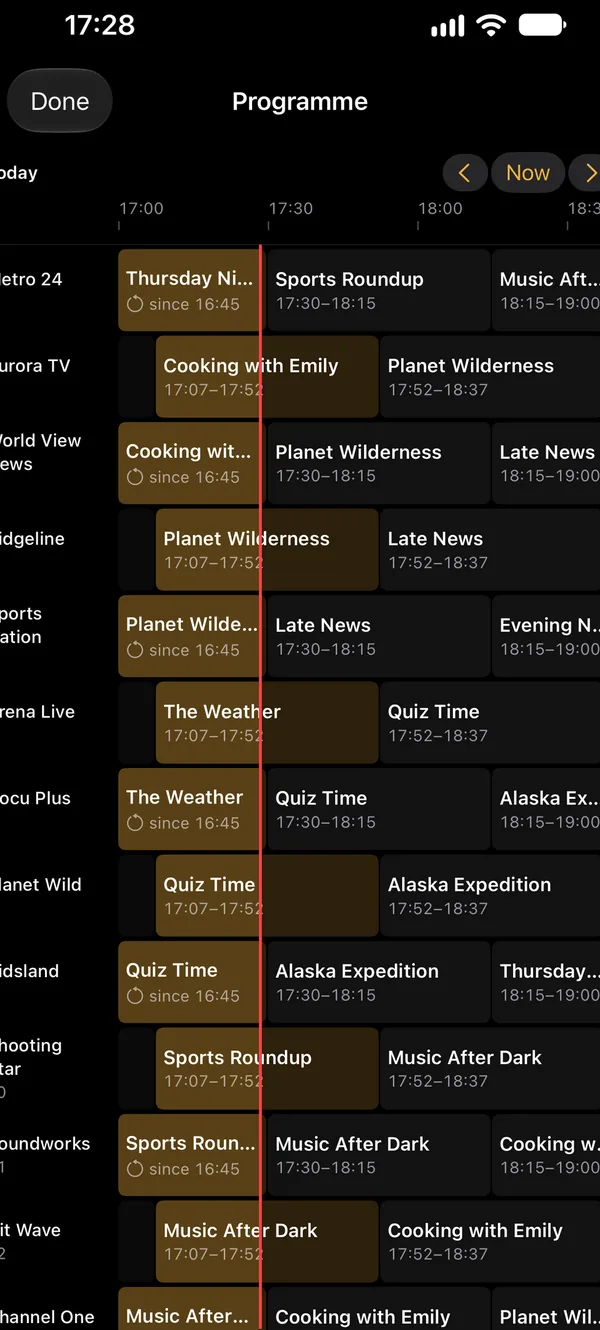
The TV guide shows Now and Next right in the channel list and every channel in a grid. IPTVGenie reads your provider’s EPG or an XMLTV address of your own. You can watch missed programmes later if your provider offers catch-up, and the app reminds you before a programme starts.
- Now and NextRight in the channel list, without opening the guide.
- Programme gridEvery channel and time at a glance.
- Catch-upWatch missed programmes later, if your provider offers it.
- RemindersBefore a programme starts, on Apple TV right in the picture.
- Reminder as a Live ActivityFrom version 1.3.3On iPhone with the channel logo and a countdown on the Lock Screen and in the Dynamic Island.
- Your own guide sourcesMatch a guide to each channel, fix a time offset, add more XMLTV sources.
How does IPTVGenie show movies and series?
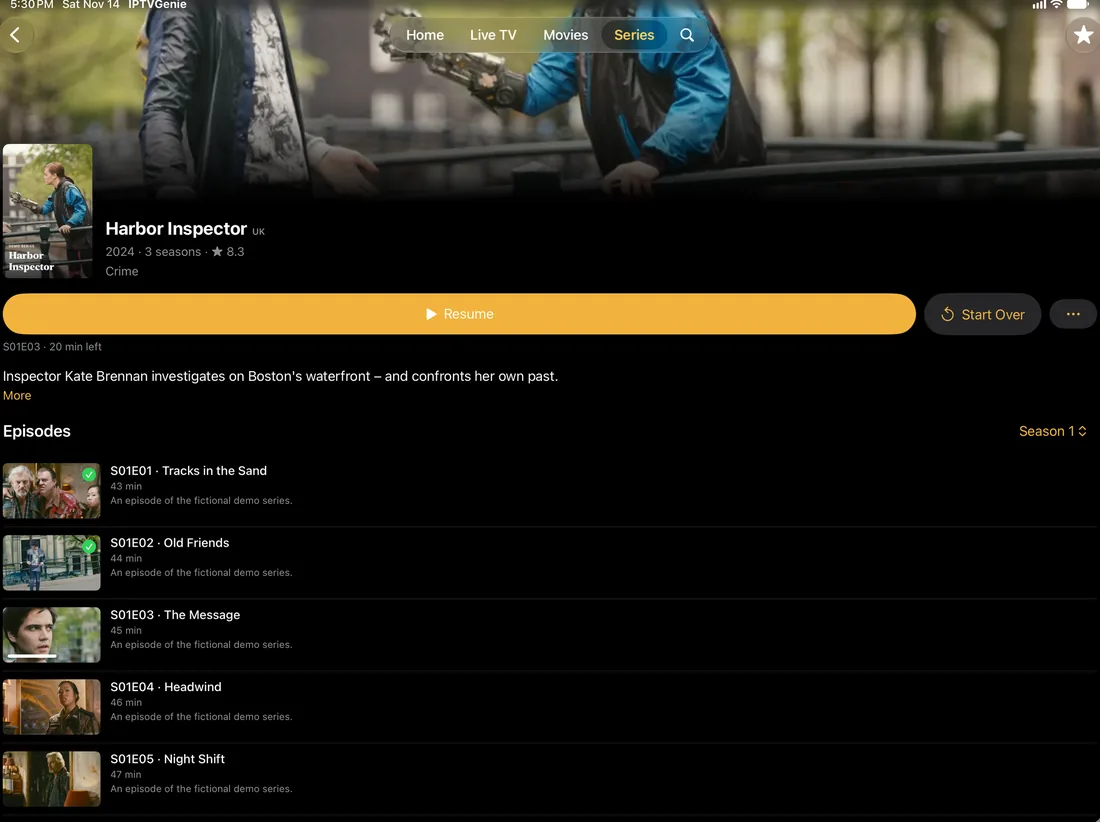
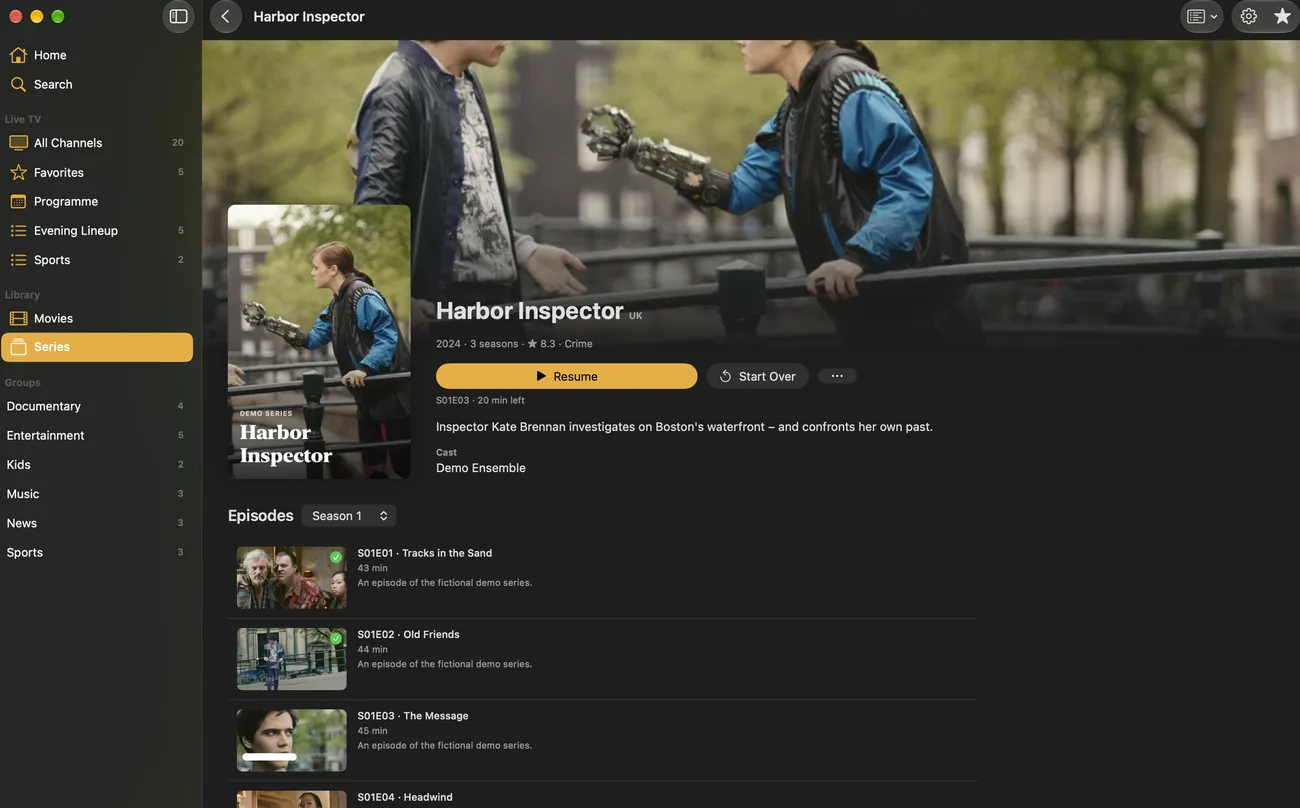
Movies and series from your Xtream login appear with covers, categories and descriptions, and series are sorted by season. Continue Watching resumes exactly where you stopped, and the next episode can start on its own. IPTVGenie turns your provider’s codes into clean titles with a flag, 4K, HDR and the year.
- Continue WatchingResume where you stopped, on any of your devices.
- Seasons and next episodeSeries by season; the next episode can start on its own.
- Clean titlesProvider codes become a flag, 4K, HDR, Dolby, rating and year.
- New episodeA hint as soon as a series you finished continues.
- TMDBWith your own free TMDB key: descriptions, pictures, cast and trailers.
- Many formatsPlays MKV and other formats too.
Which playback features does IPTVGenie have?
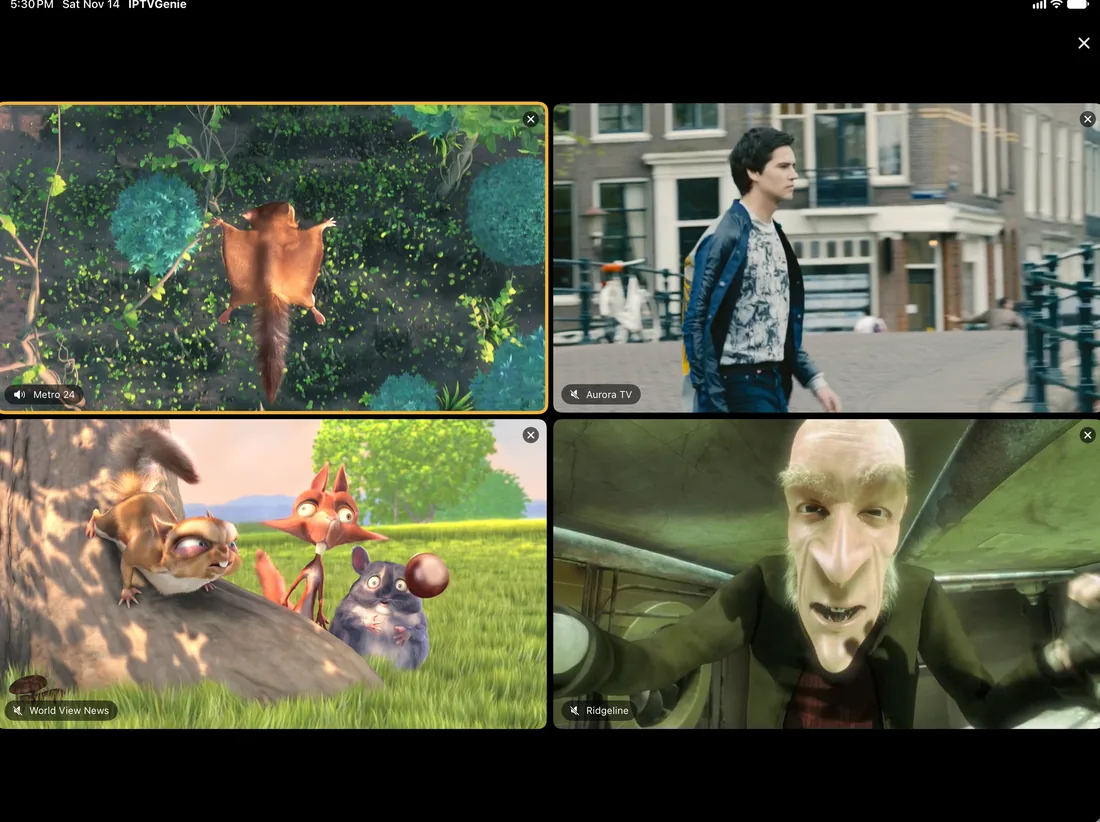
With Multiview you watch up to four channels at once. Picture in Picture, a sleep timer and Fill Screen without black bars, by button or with two fingers, come with it. You choose Apple’s player or VLC; VLC also plays streams that Apple’s player does not know, such as HEVC or MKV.
- MultiviewUp to four channels at once, side by side.
- Picture in PictureKeep watching while you use another app, with Apple’s player.
- Sleep timerPlayback stops after the time you choose.
- Fill ScreenNo black bars, by button or with a pinch, in live TV too.
- Apple’s player or VLCYour choice; VLC also plays HEVC and MKV streams.
How does IPTVGenie work across your Apple devices?
IPTVGenie is one app for iPhone, iPad, Mac and Apple TV, and one purchase covers them all. Playlists, favorites, history and settings sync through iCloud; without iCloud you send your list to Apple TV with a QR code. Widgets, Siri and Top Shelf connect the devices, and from version 1.3.3 Continue here too.
- iCloud syncPlaylists, favorites, history and settings on all your devices.
- QR codeWithout iCloud you send your list from iPhone to Apple TV.
- Continue hereFrom version 1.3.3What plays on another of your devices shows on the start page; one tap and it continues here at the same point.
- Widgets and Control CenterContinue Watching in three sizes and on the Lock Screen, Channel Buttons and a button for the last channel.
- Siri and Shortcuts“Continue watching in IPTVGenie” or start a channel by name; from version 1.3.3 on Apple TV and Mac too.
- SpotlightFrom version 1.3.3Find channels, movies and series right in the search of iPhone, iPad and Mac.
- Top ShelfOn Apple TV, Continue Watching and favorite channels right on the Home Screen.
- Ten languagesGerman, English, Spanish, French, Portuguese, Turkish, Italian, Dutch, Polish and Arabic.
Does IPTVGenie have profiles and parental controls?
Yes. Up to six profiles each have their own favorites, channel lists and Continue Watching. A kids profile shows only what parental controls allow, and only the PIN gets you out of it. You hide adult groups and channels with a PIN and unlock them with Face ID or Touch ID if you like.
- Up to six profilesEach with its own favorites, channel lists and Continue Watching.
- Kids profileShows only what parental controls allow; only the PIN gets you out.
- PIN protectionHide adult groups and channels, unlock with Face ID or Touch ID if you like.
- Profile at launchIPTVGenie asks for the profile at launch; switching is always at hand.
How does IPTVGenie look after your IPTV login and your data?
If your login allows only one connection, IPTVGenie warns you before another device would cut it off. You decide how often the app asks your provider for updates, and you can set your own user agent for each playlist. IPTVGenie collects no data: your list, login and history stay on your devices and in your iCloud.
- One connection onlyA warning before another device stops what is playing.
- Requests to your providerYou decide how often the app reloads lists and the guide.
- Own user agentSet for each playlist.
- No trackingNo analytics, no ads; your data stays with you.
When each feature arrived is in the version history.
Does IPTVGenie include channels?
No. IPTVGenie is a player and includes no channels, movies or series. You need your own M3U playlist or Xtream Codes login from a provider whose content you may use legally. IPTVGenie plays that list and adds the programme guide, favorites and Continue Watching on top of it, on all your Apple devices.
Are all features free during the trial?
Yes. For 30 days everything is free, with no subscription and no payment details, and the trial ends by itself. After that you choose a monthly plan, a yearly plan or a one-time purchase. One purchase covers iPhone, iPad, Mac and Apple TV and, with Family Sharing, up to five family members.
Do all features work on every device?
Almost all of them. Live TV, the programme guide, movies, series, profiles and iCloud sync work on iPhone, iPad, Mac and Apple TV. A few features belong to one device: widgets to iPhone and iPad, Live Activities to iPhone, Top Shelf to Apple TV and keyboard shortcuts to the Mac.
Where can I see what is new?
The version history lists every version of IPTVGenie with its changes, newest first. Features that only arrive in the App Store with the next version are marked “From version” on this page. The app updates through the App Store when automatic updates are turned on, on all your devices at once.