How do I watch IPTV on Apple TV?
You need an IPTV app from the App Store and your provider’s details, as an M3U link or an Xtream Codes login. With IPTVGenie you add them on your iPhone; via iCloud or a QR code they reach your Apple TV, TV guide (EPG) included. An Apple TV HD or 4K with tvOS 18 is all it takes.
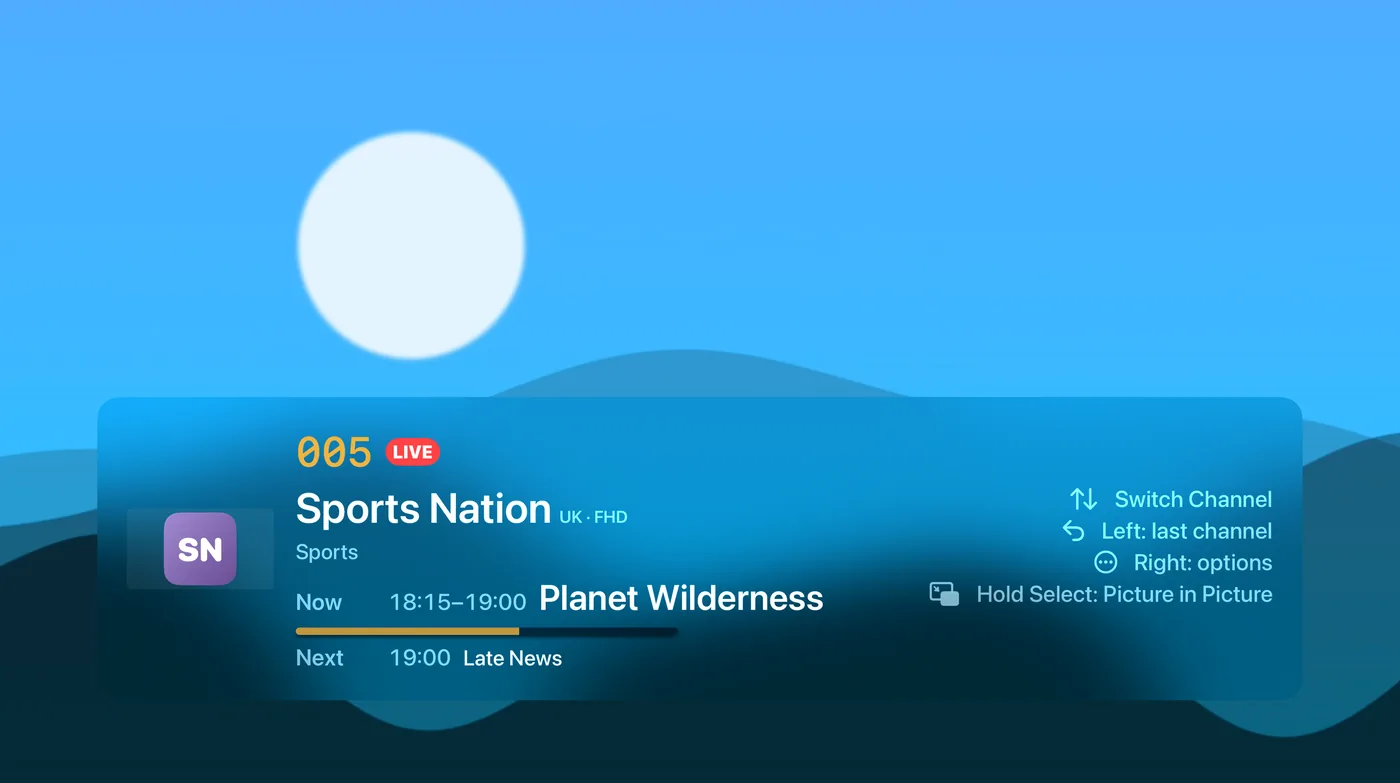
Live TV: channel surfing like on a TV
Up and down on the remote switch the channel, left takes you back to the last one. “Now” and “Next” appear on screen without stopping the show.
- A preview inside the channel and the matching frame rate for smooth pictures
- Picture in Picture, a sleep timer and Fill Screen
- Rewind: start a show over or go back a few minutes if your provider keeps an archive
- TV off, sound off: when the Apple TV goes to sleep, playback stops, also on a HomePod
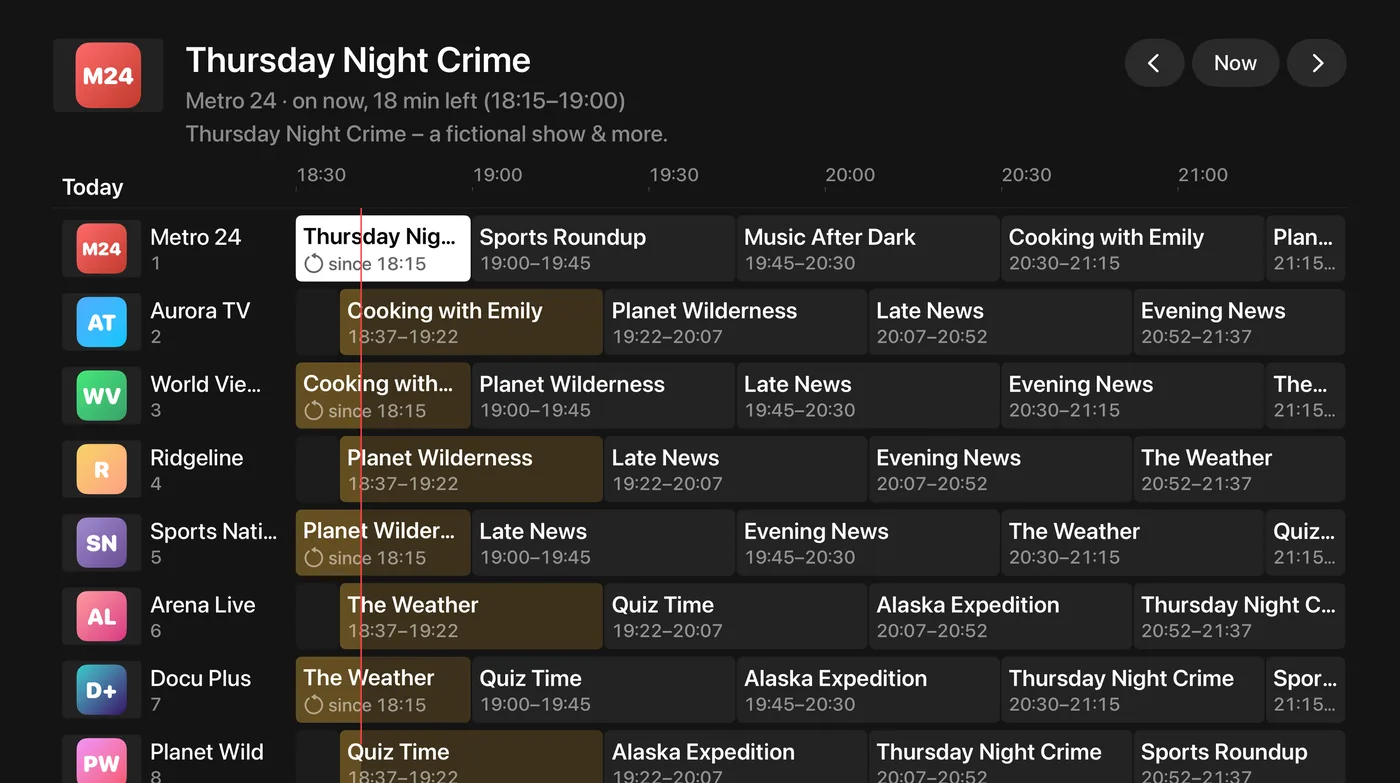
EPG: the whole TV guide in a grid
Every channel and show in one guide grid, browsed with the remote. The EPG comes from your provider or from an XMLTV address of your own.
- Reminders before a show starts, right in the picture
- Watch missed shows later (catch-up) if your provider offers it
- Assign a channel’s guide by hand and shift its time
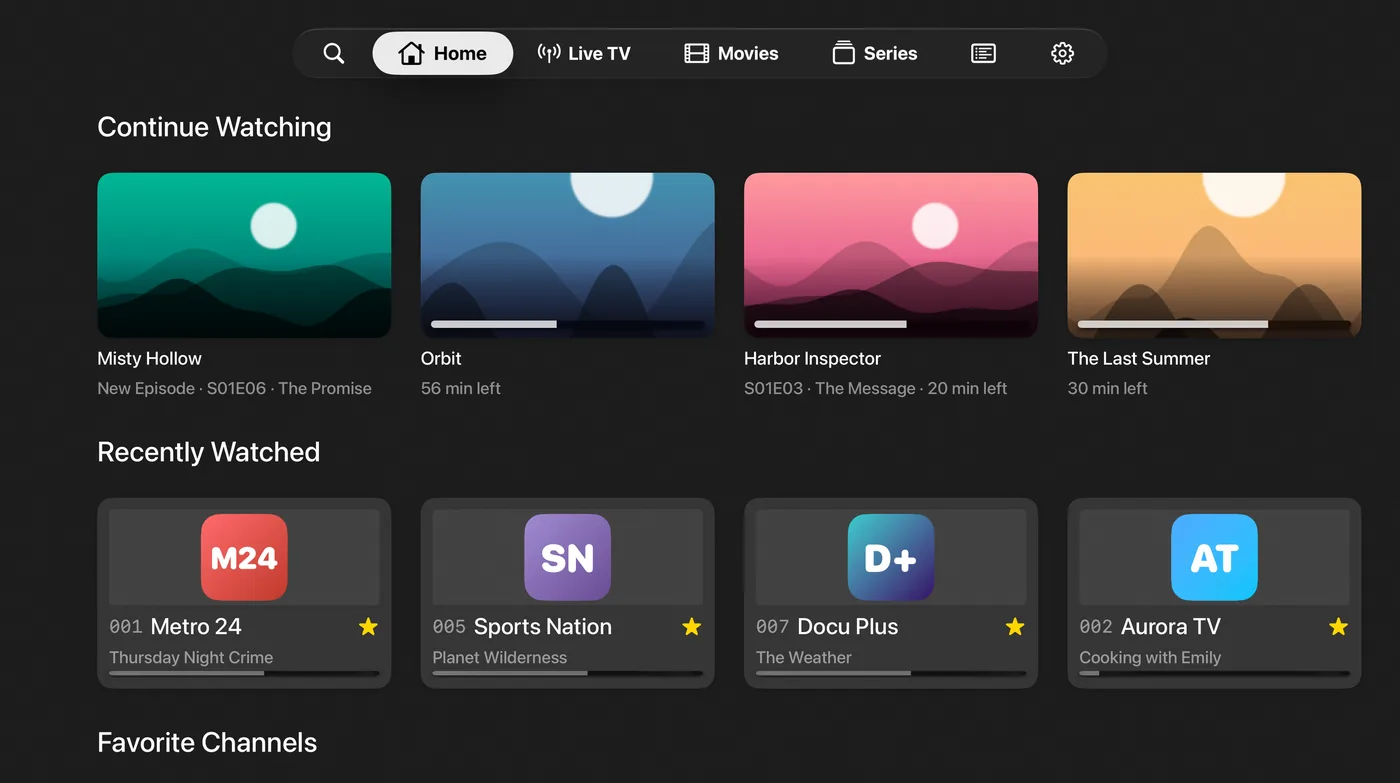
Top Shelf and “Continue here”
Right on the Apple TV home screen, IPTVGenie shows what you watched last and your favorite channels in the Top Shelf. When something plays on your iPhone, the start page offers to continue right there.
- Continue Watching and favorite channels in the Top Shelf
- Movies and episodes carry on at the same moment
- Up to six profiles, so everyone keeps their own favorites
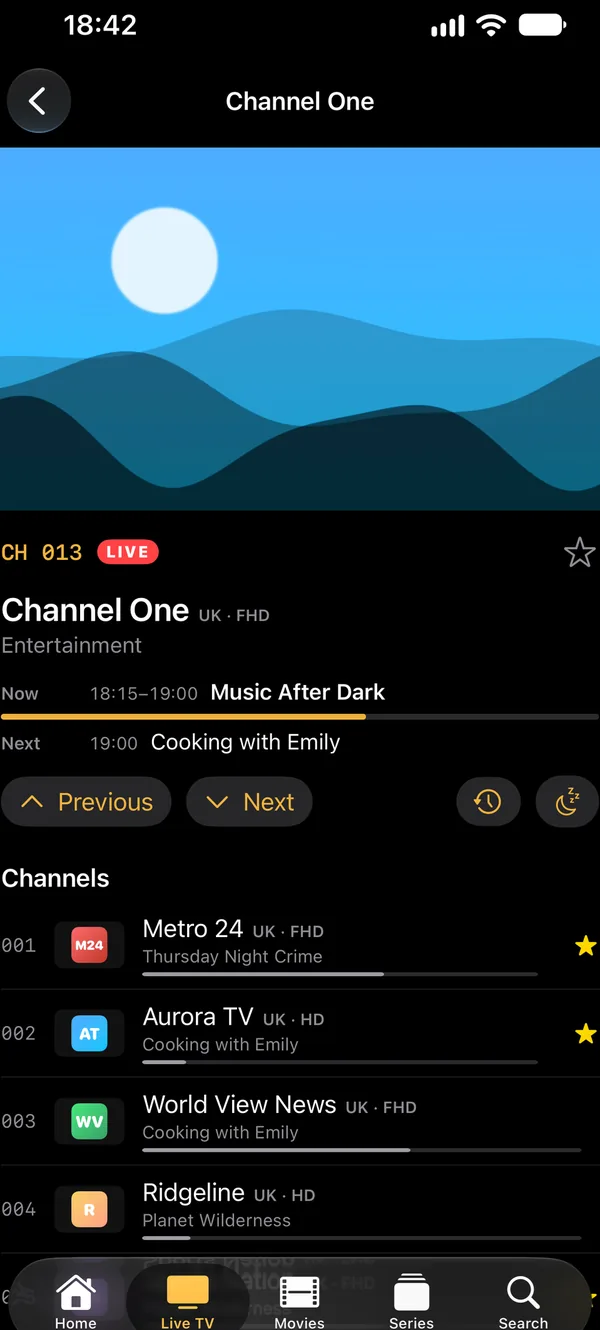
How to set up IPTV on Apple TV
- Install IPTVGenie from the App Store on your iPhone and on your Apple TV.
- Add your M3U playlist (link) or Xtream Codes login on the iPhone.
- With iCloud the playlist is on your Apple TV shortly after. Without iCloud, choose “Add Playlist” on the Apple TV and scan the QR code with your iPhone.
- Optional: add an XMLTV address for the EPG and set up your favorites.
Tips for IPTV on Apple TV
Cable beats Wi-Fi
An Apple TV on an Ethernet cable gets steadier streams than over Wi-Fi, especially in 4K.
Switch the player
If a channel does not start, set the player to “VLC” in Settings.
One connection?
If your login allows only one connection, IPTVGenie warns you before the Apple TV pushes a stream off your iPhone.
Frequently asked questions
Which Apple TV do I need for IPTV?
An Apple TV with tvOS 18 or later, that is an Apple TV HD or an Apple TV 4K. For 4K streams and HDR you need an Apple TV 4K and a suitable TV. IPTVGenie switches the TV’s frame rate to match the channel when “Match Frame Rate” is switched on in the Apple TV settings.
Can I use M3U playlists on Apple TV?
Yes, as an M3U link. Apple TV has no M3U files, because tvOS has no files; add a file on your iPhone or Mac and it reaches the Apple TV through iCloud. A link is reloaded regularly, so the channel list on your TV stays current without you having to do anything.
Does my purchase work on Apple TV too?
Yes. One purchase works on iPhone, iPad, Mac and Apple TV. When the same Apple Account is signed in on the Apple TV, it applies there automatically, even if you bought with an offer code on your iPhone. Family members in Family Sharing use the purchase on their own devices, up to five people.
Do I have to type the link on Apple TV?
No. With iCloud the playlist comes from your iPhone as soon as IPTVGenie is open on the Apple TV. Without iCloud, choose “Add Playlist” on the Apple TV and scan the QR code it shows with your iPhone; the playlist reaches the TV without typing. Entering it with the remote still works.
Are there parental controls on Apple TV?
Yes. Adult channels and groups sit behind a PIN that you enter with the remote, and a kids profile can only be left with the PIN. Apple TV has no Face ID, so the PIN alone counts there. Up to six profiles make sure everyone in the household keeps their own favorites.
Try it with your own playlist
Download on the App StoreTry everything free for 30 days, with no subscription and no payment details.For iPhone and iPad with iOS 18 or later, Apple TV with tvOS 18 or later and Mac with macOS 14.2 or later.