What is an M3U playlist?
An M3U playlist is a text file that lists streams: one line per channel with name, logo and group (#EXTINF), followed by the stream address. IPTV providers deliver it as a link or a file. M3U8 is the same format in UTF-8. An M3U player such as IPTVGenie turns it into a channel list.
Your playlist becomes TV
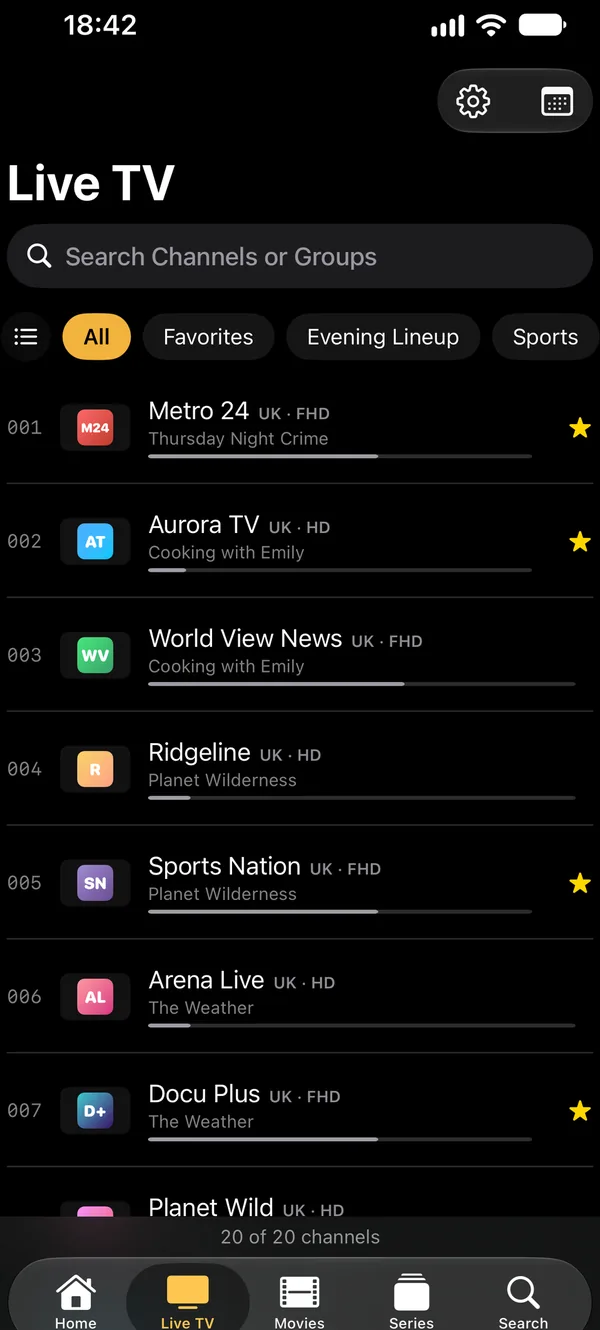
IPTVGenie reads logos (tvg-logo), groups (group-title) and channel numbers from the M3U playlist. When the playlist names a TV guide (url-tvg), it loads along.
- Arrange and hide groups, make channel lists of your own
- “Now” and “Next” right in the channel list
- Large playlists with many thousands of channels too
- Tidy names: provider codes become a flag, 4K and HDR
EPG via XMLTV
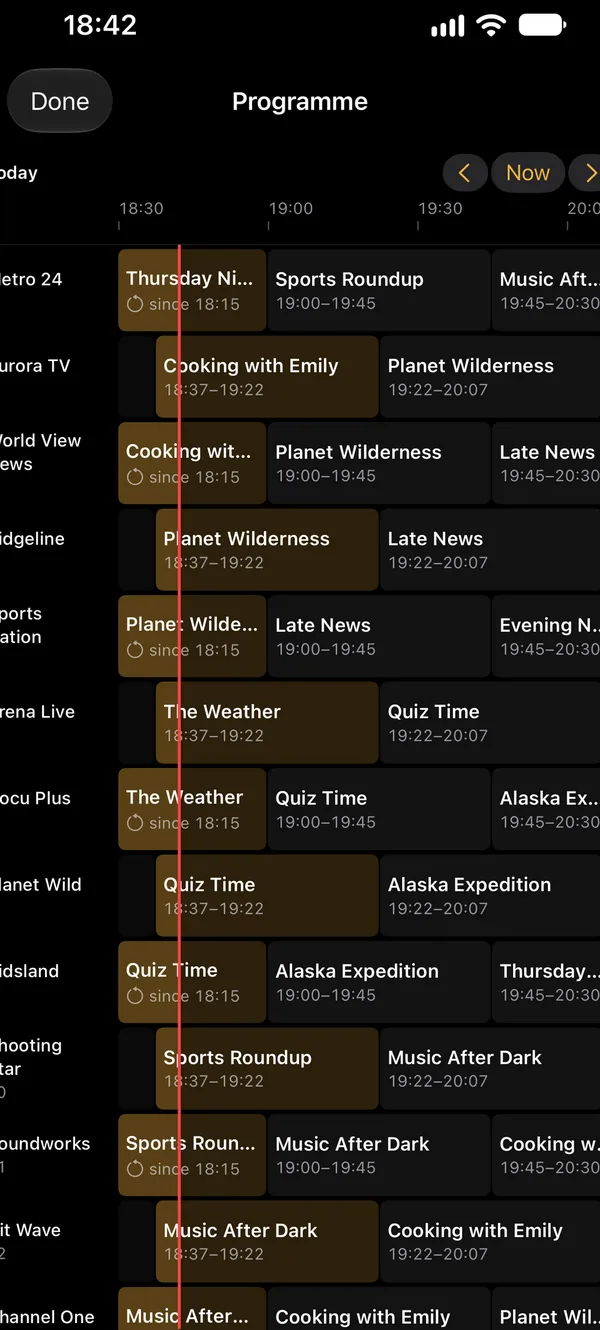
If the M3U playlist has no TV guide, add an XMLTV address of your own. IPTVGenie checks it when you save it and matches the shows to the channels (tvg-id).
- A guide grid across all channels
- Assign a channel’s guide by hand and shift its time
- Several guide sources per playlist
M3U or Xtream Codes: the difference
| M3U / M3U8 | Xtream Codes | |
|---|---|---|
| What you enter | A link or a file | Server, username, password |
| Live TV | Yes | Yes |
| Movies and series (VOD) | Only as entries of the list | Yes, with posters, categories and seasons |
| TV guide (EPG) | Via url-tvg in the list or an XMLTV address of your own | From the provider, plus XMLTV addresses of your own |
| Catch-up | Yes, when the list carries archive attributes (catchup) | Yes, when the provider keeps an archive |
| Updates | The list is reloaded | The app checks with your provider as often as you like |
How to open an M3U playlist
- Open IPTVGenie and tap “Add Playlist”.
- Choose “Link” and paste the M3U or M3U8 link, or choose “File” (on iPhone, iPad and Mac).
- Optional: an XMLTV address of your own for the EPG, and a User-Agent if your provider requires one.
- Save: the channel list appears, and with iCloud on your other devices too.
When the M3U playlist won’t load
Check the link
Many M3U links contain your username and password. A typo in them is the most common reason for an empty list.
Set a User-Agent
Some providers deliver the playlist only to certain players; set the User-Agent per playlist.
Try VLC
If a channel does not play, set the player to VLC. It plays MKV and other formats too.
Frequently asked questions
What is the difference between M3U and M3U8?
Both are playlists with the same structure: an #EXTINF line with name, logo and group, followed by the stream address. M3U8 is saved as UTF-8 so accents and other scripts such as Arabic or Turkish come out right. IPTVGenie opens both, as a link or as a file, and shows the names correctly.
Where do I get an M3U playlist?
From your IPTV provider, usually by email or in your account area after ordering. IPTVGenie contains no channels and sells no subscriptions. To try it out, the app includes a sample playlist of free-to-air channels from Germany. Make sure to use only providers whose content you are entitled to watch.
Does IPTVGenie load the EPG from the M3U playlist automatically?
Yes, when the playlist names a TV guide: its first line then contains url-tvg with an address. IPTVGenie loads it in the background and matches the shows to the channels by their tvg-id. If the attribute is missing, add an XMLTV address of your own in Settings under “TV Guide”.
A channel from the playlist does not play. What now?
Set the player to “VLC” in Settings; it also plays formats Apple’s player refuses. Some providers require a specific User-Agent, which you set per playlist. Also check whether your login is playing on another device right now. If no channel plays at all, your login has often expired.
Does the M3U playlist get updated?
Yes. An M3U link is reloaded regularly; how often the app checks with your provider is up to you in Settings, and refreshing the list reloads it right away. A file stays as it is until you replace it. Your favorites and channel lists of your own are kept when the playlist updates.
Try it with your own playlist
Download on the App StoreTry everything free for 30 days, with no subscription and no payment details.For iPhone and iPad with iOS 18 or later, Apple TV with tvOS 18 or later and Mac with macOS 14.2 or later.