Which IPTV player runs on Mac?
IPTVGenie is an IPTV player for macOS 14.2 and later. It opens M3U and M3U8 playlists as a link or file and Xtream Codes logins, shows the TV guide (EPG) in a grid, and plays movies and series. The same purchase also works on iPhone, iPad and Apple TV.
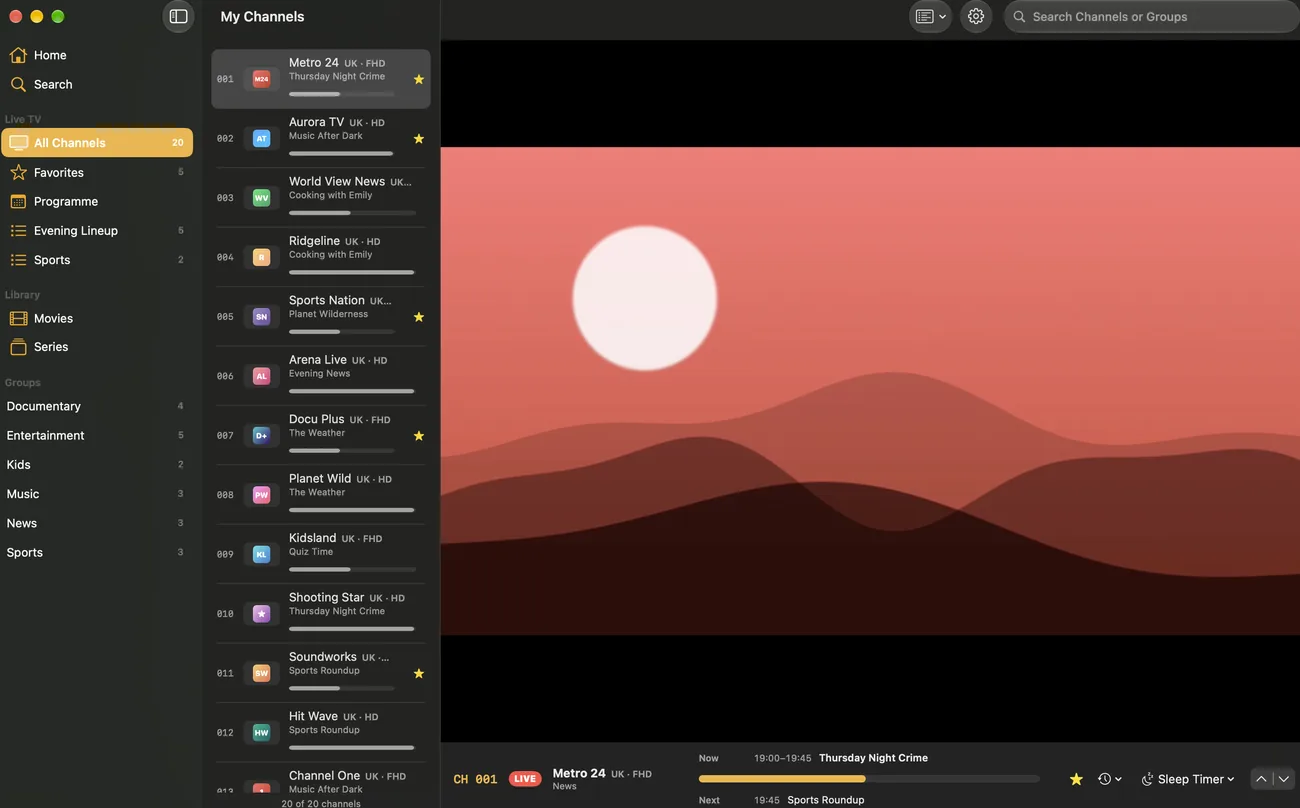
Live TV in a window
Groups and channel lists in the sidebar, search at the top, the picture next to it. Multiview opens up to four channels in a window of their own.
- A floating window stays above other apps, even in full screen
- Favorites and channel lists of your own; arrange and hide groups
- Several playlists, switched from the toolbar or the menu
EPG and library
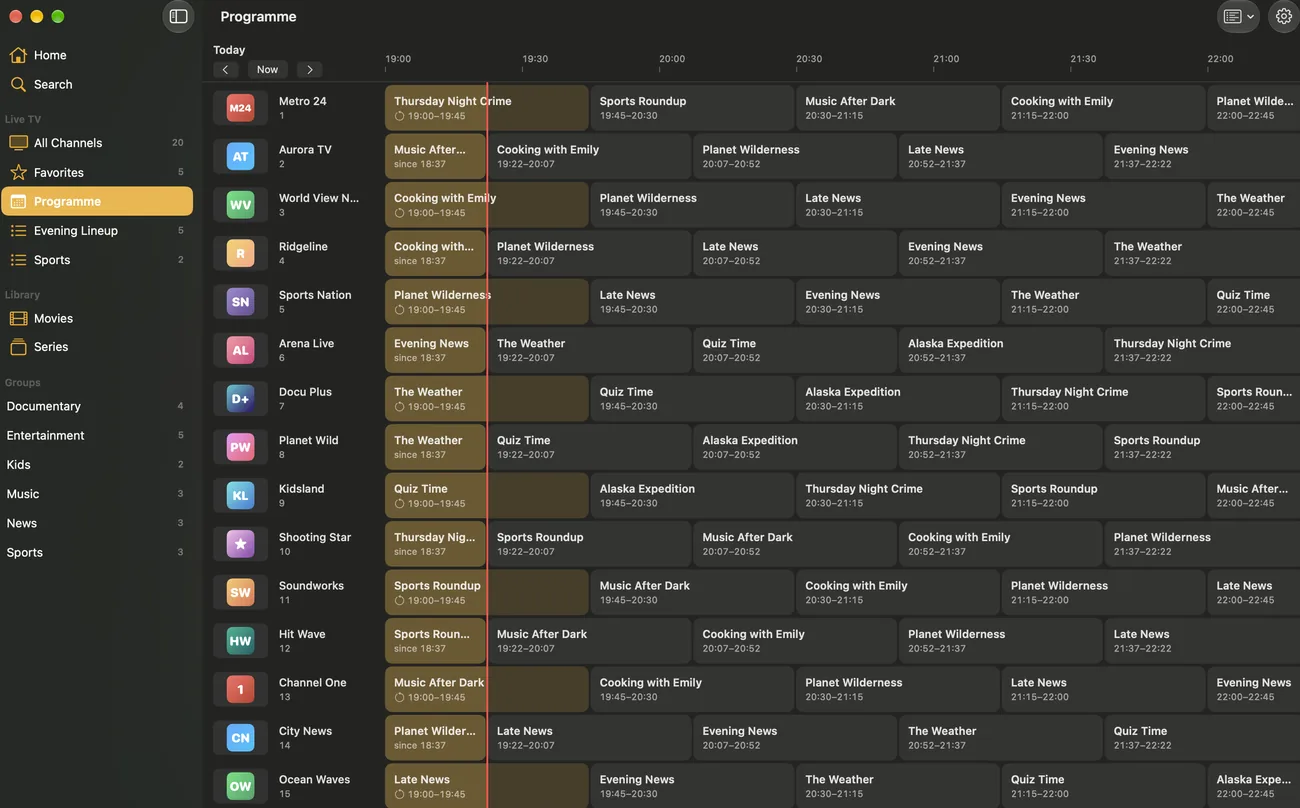
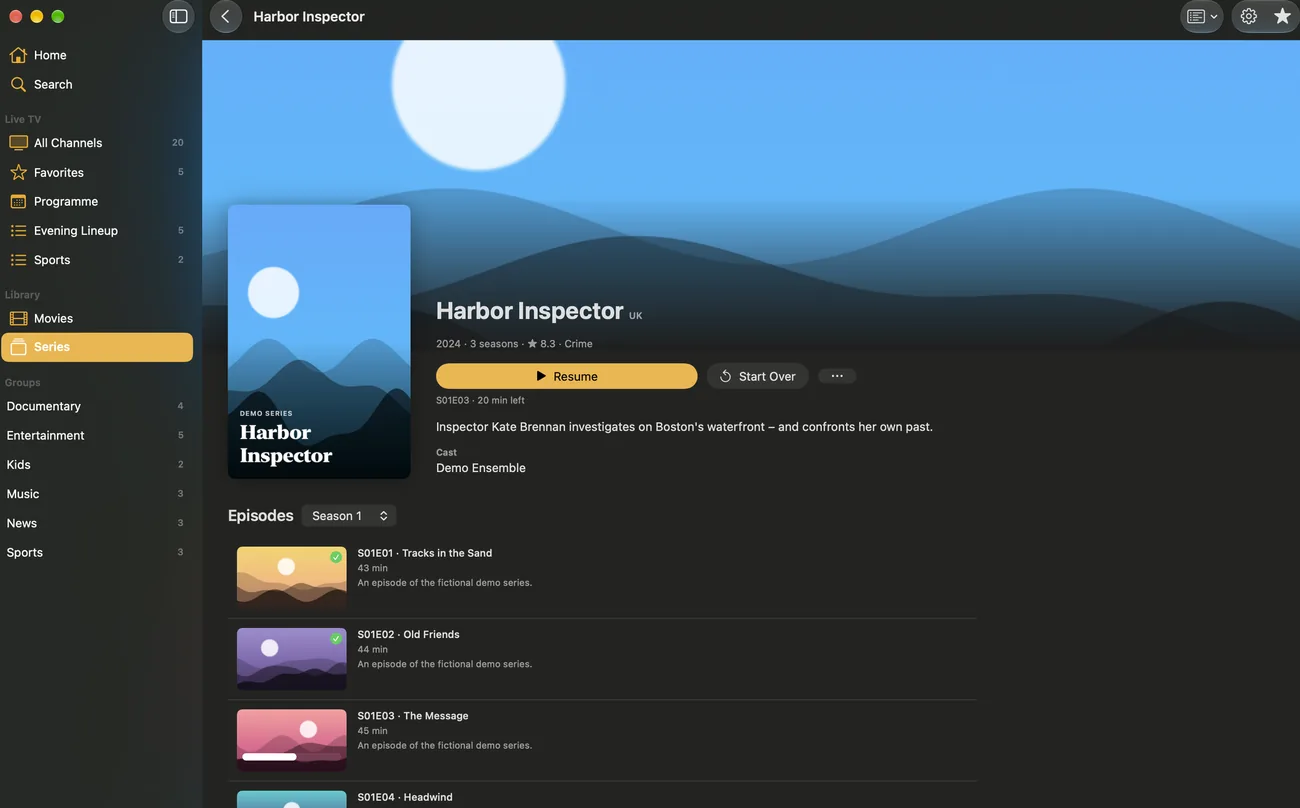
The TV guide in a grid and the movies and series (VOD) of your Xtream login, with posters, seasons and episodes.
- Continue Watching at the same moment, also from iPhone or Apple TV
- Watch missed shows later if your provider has an archive
- Pick M3U and M3U8 files right when you add a playlist
How to set up IPTV on Mac
- Download IPTVGenie from the Mac App Store.
- Press ⌘O or choose “Add Playlist”, then “Xtream”, “Link” or “File”.
- Enter your provider’s details and save; with iCloud, a playlist from your iPhone is already there.
- Optional: add a TV guide (XMLTV) and arrange groups in the sidebar.
Keyboard shortcuts
| Shortcut | Action |
|---|---|
| ⌘O | Add a playlist |
| ⌘R | Refresh the playlist |
| ⌘↑ / ⌘↓ | Previous / next channel |
| ⌘L | Back to the last channel |
| ⌘D | Toggle favorite |
| ⌘. | Stop playback |
Tips for IPTV on Mac
Watch on the side
The floating window stays above your other apps, so the game keeps playing next to your spreadsheet.
Playlist from your iPhone
With iCloud your playlist is already there the first time you open IPTVGenie on your Mac.
VLC as the player
For formats Apple’s player cannot handle, choose VLC in Settings.
Frequently asked questions
Which Mac do I need?
A Mac with macOS 14.2 Sonoma or later. IPTVGenie is a Mac app of its own with windows, menus and keyboard shortcuts, not an enlarged iPhone app. Your playlist, favorites and history come from your iPhone through iCloud, and one purchase works on the Mac too. The 30-day free trial is enough to try it.
Can I open an M3U file on Mac?
Yes. Press ⌘O or choose “Add Playlist”, then “File”, and pick the M3U or M3U8 file. Through iCloud the playlist is then ready on your other devices too. If your provider gives you an M3U link, prefer that: it is reloaded regularly and so stays up to date on all devices.
Does Xtream Codes work on Mac?
Yes. Enter your provider’s server, username and password; live TV, movies and series appear separately in the sidebar, and the EPG comes straight from the server. With iCloud, an Xtream login you set up on your iPhone is already on the Mac. Several logins work as playlists of their own.
Is there a TV guide (EPG) on Mac?
Yes. The guide grid shows every channel and show at a glance; it comes from your provider or from an XMLTV address of your own. Reminders work on Mac too and sync with your other devices through iCloud. If the guide does not match, assign it to a channel or set the time offset.
Can I keep watching while I work?
Yes. The floating window stays above your other apps, even when one of them is in full screen, and multiview opens up to four channels in a window of their own. ⌘↑ and ⌘↓ switch channels without reaching for the mouse. That way the game keeps playing next to your spreadsheet.
Do I need a separate purchase for the Mac?
No. A subscription or the one-time purchase works on iPhone, iPad, Mac and Apple TV as long as the same Apple Account is signed in. Your playlist reaches the Mac through iCloud, with favorites and history. With Family Sharing, up to five family members use the purchase on their own devices.
Try it with your own playlist
Download on the App StoreTry everything free for 30 days, with no subscription and no payment details.For iPhone and iPad with iOS 18 or later, Apple TV with tvOS 18 or later and Mac with macOS 14.2 or later.