Which devices does IPTVGenie run on?
IPTVGenie runs on iPhone and iPad from iOS 18, on the Mac from macOS 14.2 and on Apple TV from tvOS 18. It is built for touch, keyboard or the remote, not an enlarged iPhone app. One purchase covers every device with the same Apple Account, and iCloud keeps lists, favorites and history in step.
What can IPTVGenie do on iPhone and iPad?
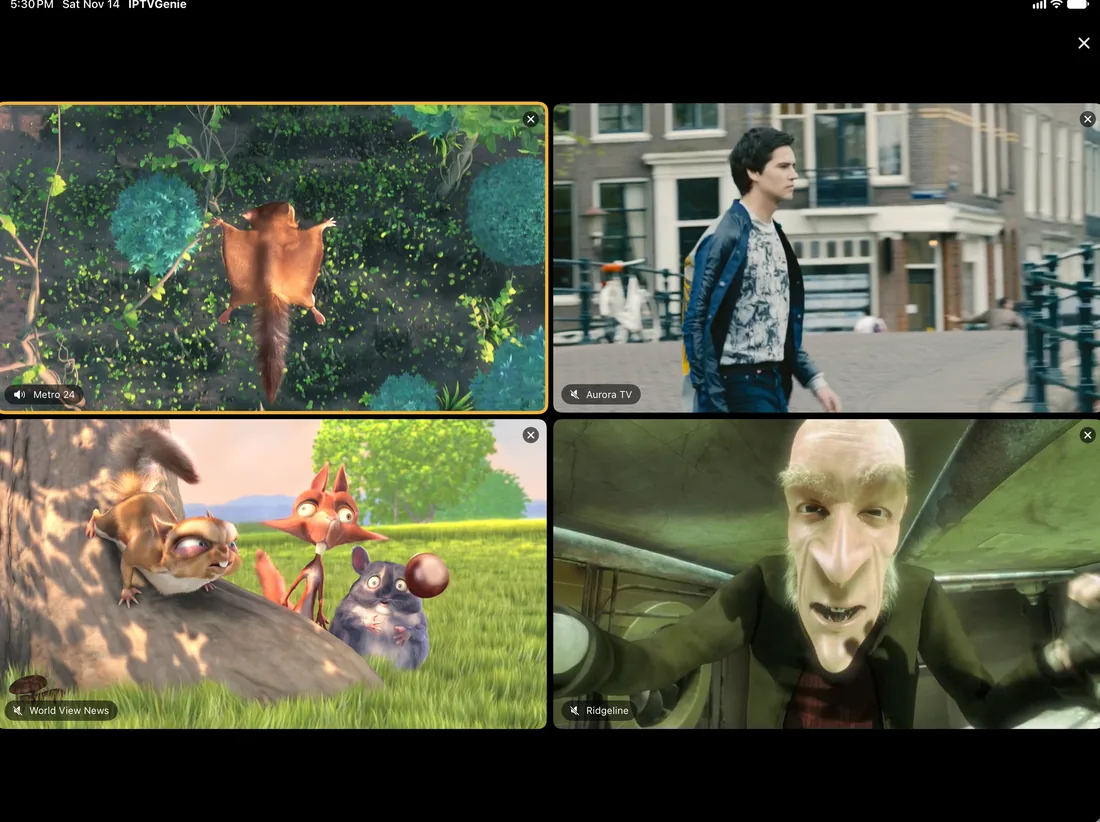
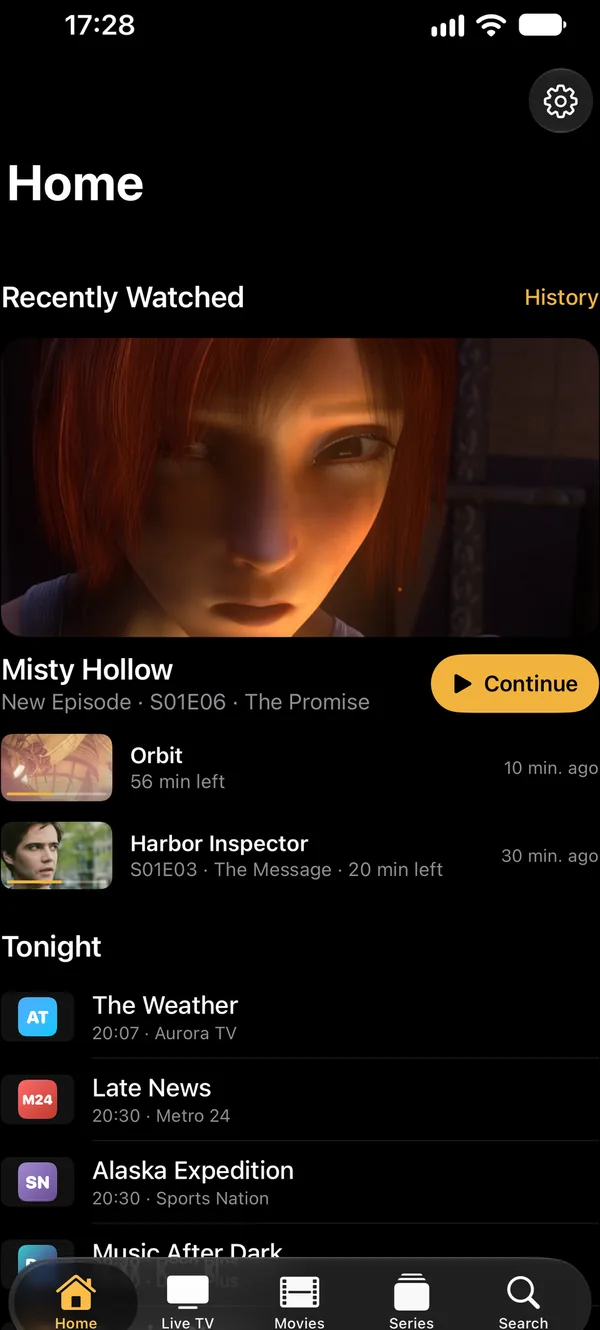
On the iPhone you watch live TV with a programme guide, movies and series on the go, in Picture in Picture next to other apps. The iPad shows up to four channels at once. Widgets, Control Center and Siri take you to a channel with one tap; from version 1.3.3 the iPhone shows reminders as a Live Activity.
- Multiview on the iPadUp to four channels side by side at once.
- Widgets and Control CenterContinue Watching in three sizes and on the Lock Screen, Channel Buttons and a button for the last channel.
- Reminder as a Live ActivityFrom version 1.3.3With the channel logo and a countdown on the Lock Screen and in the Dynamic Island of the iPhone.
- Face ID and Touch IDLocked channels and groups open with your face or finger once a PIN is set.
- Your list to Apple TVScan the Apple TV’s QR code with the camera, and the playlist is on your TV.
What can IPTVGenie do on the Mac?
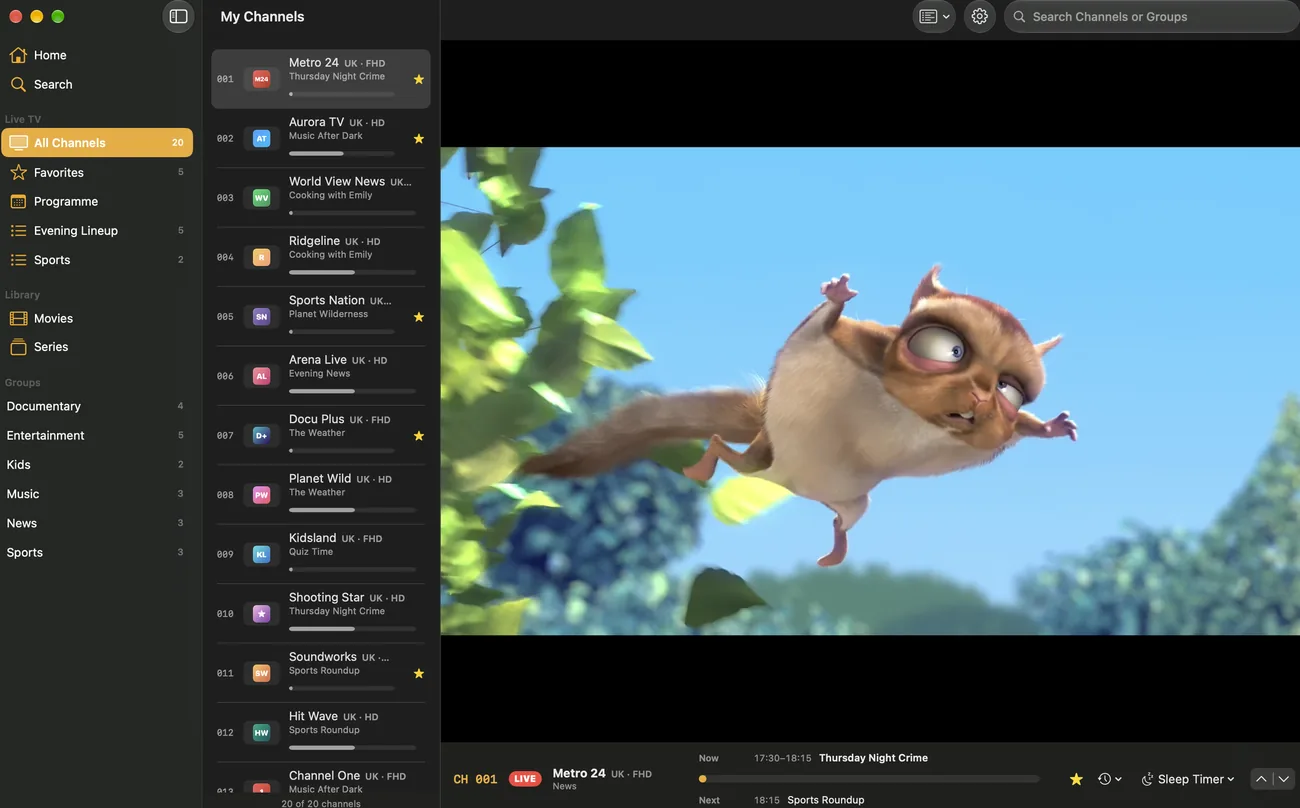
On the Mac, IPTVGenie is a real Mac app with windows, menus and keyboard shortcuts. Multiview opens up to four channels in a window of its own, a floating window stays above other apps, and movies or episodes play in their own windows. Touch ID opens locked content; from version 1.3.3, Siri and Spotlight join in.
- Windows of their ownMultiview, every movie and every episode in a window of its own.
- Floating windowStays above your other apps, even when one of them is in full screen.
- Keyboard shortcuts⌘↑ and ⌘↓ switch channels, ⌘L goes back to the last one, ⌘D makes it a favorite.
- Touch IDLocked channels and groups open with your finger once a PIN is set.
- Siri, Shortcuts and SpotlightFrom version 1.3.3Start a channel by name, run Continue Watching in the Shortcuts app, find channels, movies and series in search.
What can IPTVGenie do on Apple TV?
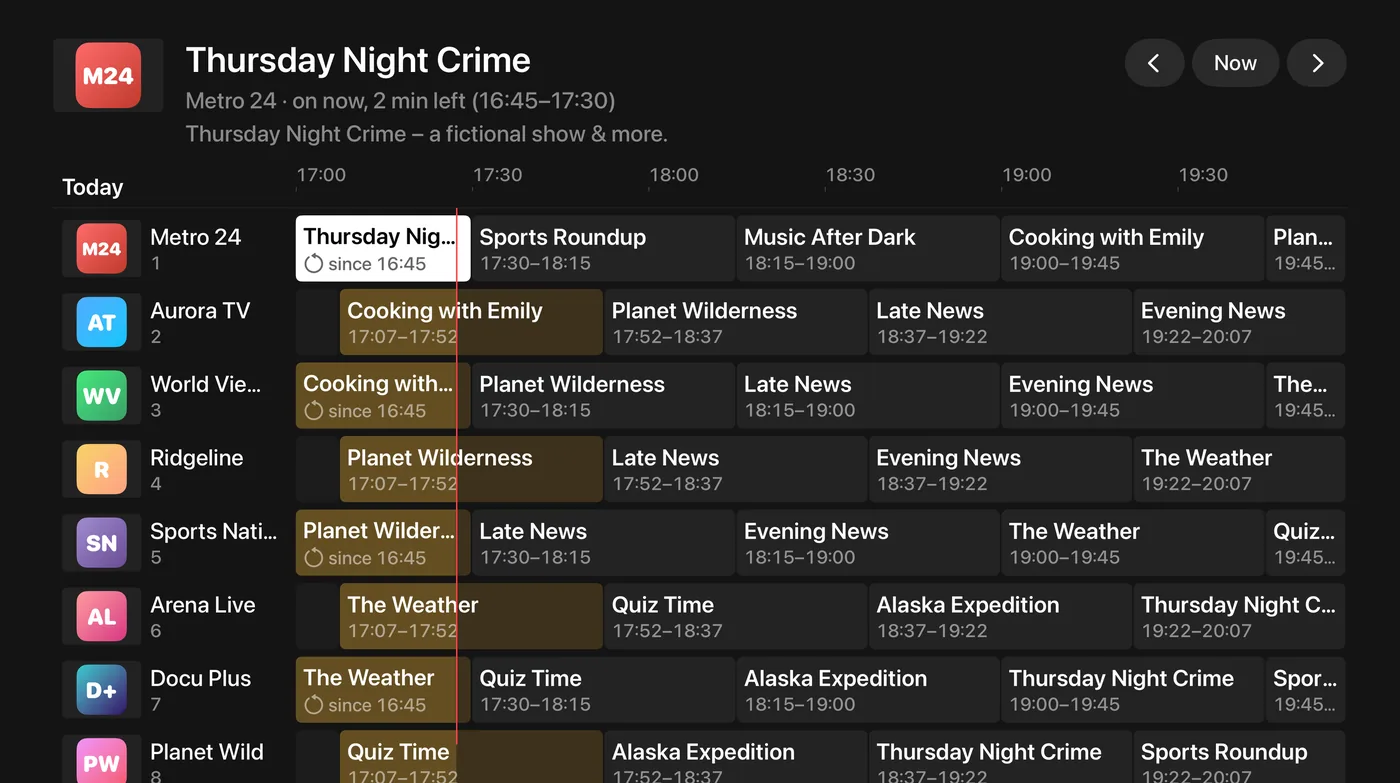
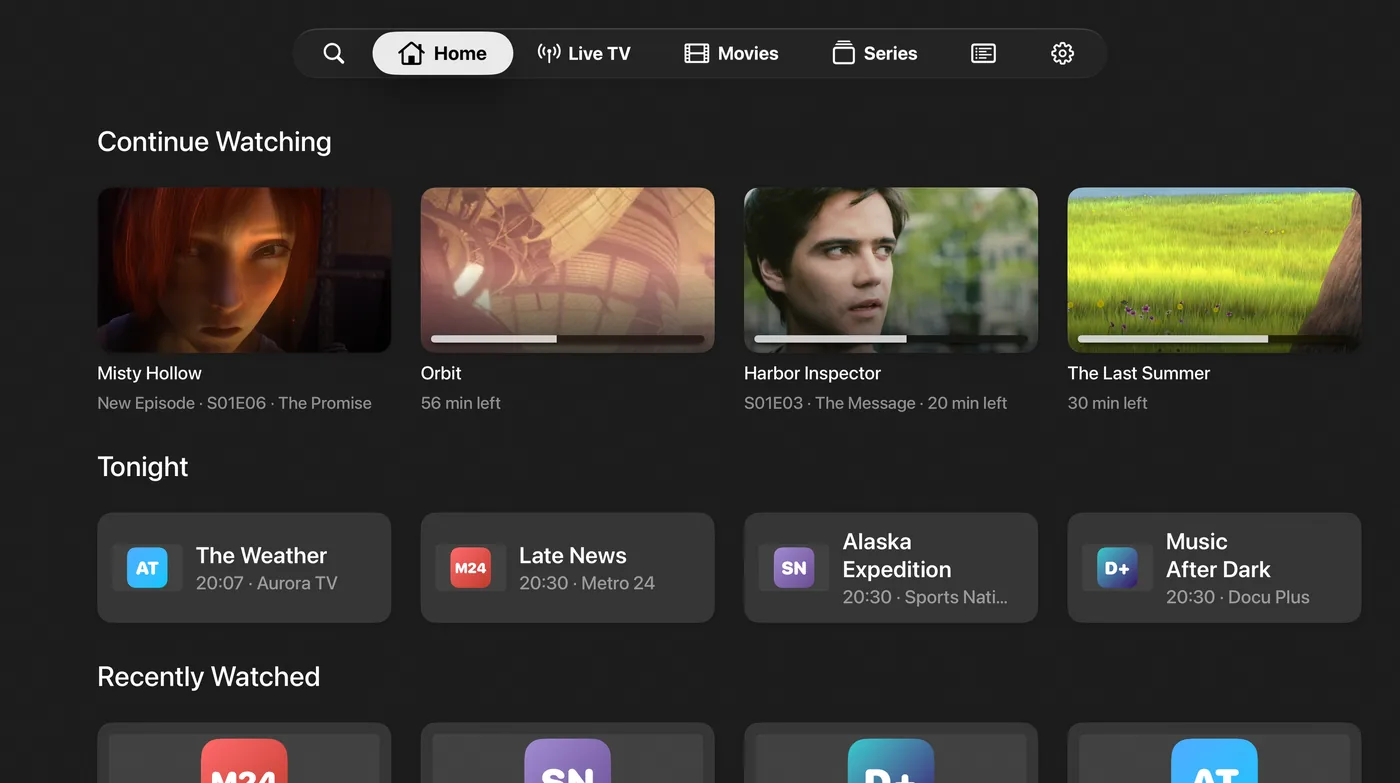
On Apple TV you switch channels with the remote like on a regular TV, and the programme guide is a grid. Top Shelf shows Continue Watching and favorite channels right on the Home Screen, and the frame rate follows the channel. Up to four channels play at once. Your list arrives from the iPhone through iCloud or a QR code.
- Top ShelfContinue Watching and favorite channels right on the Home Screen.
- Match frame rateYour TV adjusts to the channel when Match Frame Rate is on in the Apple TV settings.
- MultiviewUp to four channels at once on the big screen.
- List by QR codeApple TV shows a code, the iPhone scans it; nothing to type.
- Reminders on screenApple TV shows them right over the programme, because tvOS has no notifications.
- Siri and ShortcutsFrom version 1.3.3Start a channel by name or Continue Watching.
How do your devices work together?
One purchase covers iPhone, iPad, Mac and Apple TV, and through iCloud every device has the same playlists, favorites, reminders and history. A movie continues on the next device at the same point. From version 1.3.3 the start page offers to continue here whatever is playing on another of your devices right now.
- One purchase for every deviceA subscription or the one-time purchase works everywhere with the same Apple Account, and with Family Sharing for up to five family members.
- iCloud syncPlaylists, favorites, reminders, history and parental controls are the same on every device.
- Continue WatchingMovies and episodes continue on every device at the same point.
- Continue hereFrom version 1.3.3What plays on another of your devices shows on the start page; one tap and it continues here.
- QR code instead of iCloudYour playlist goes from iPhone or iPad to Apple TV without typing on the remote.
- TonightFrom version 1.3.3The evening’s picks on every device, with a short intro sentence where Apple Intelligence is available.
- Only one connectionIf your service allows only one, IPTVGenie warns you before another device cuts off what is playing.
Which feature runs on which device?
| Feature | iPhone | iPad | Mac | Apple TV |
|---|---|---|---|---|
| Live TV and the programme grid | ✓ | ✓ | ✓ | ✓ |
| Catch-up and rewind | ✓ | ✓ | ✓ | ✓ |
| Movies, series and Continue Watching | ✓ | ✓ | ✓ | ✓ |
| Multiview, up to four channels | – | ✓ | ✓ | ✓ |
| Picture in Picture | ✓ | ✓ | ✓ | ✓ |
| Apple player or VLC, sleep timer, Fill Screen | ✓ | ✓ | ✓ | ✓ |
| Programme reminders | ✓ | ✓ | ✓ | ✓ |
| Reminder as a Live Activity | From version 1.3.3 | – | – | – |
| Tonight | From version 1.3.3 | From version 1.3.3 | From version 1.3.3 | From version 1.3.3 |
| Continue here | From version 1.3.3 | From version 1.3.3 | From version 1.3.3 | From version 1.3.3 |
| iCloud sync | ✓ | ✓ | ✓ | ✓ |
| Playlist by QR code | ✓ | ✓ | – | ✓ |
| Profiles, kids profile and PIN | ✓ | ✓ | ✓ | ✓ |
| Unlock with Face ID or Touch ID | ✓ | ✓ | ✓ | – |
| Widgets and Control Center | ✓ | ✓ | – | – |
| Siri and Shortcuts | ✓ | ✓ | From version 1.3.3 | From version 1.3.3 |
| Spotlight search | From version 1.3.3 | From version 1.3.3 | From version 1.3.3 | – |
| Top Shelf | – | – | – | ✓ |
| Windows of their own | – | – | ✓ | – |
| Keyboard shortcuts | – | – | ✓ | – |
| Match frame rate | – | – | – | ✓ |
Catch-up needs an archive at your provider. On Apple TV, reminders appear over the programme instead of as a notification. Apple TV shows the QR code, iPhone or iPad scans it.
Do I need a separate purchase for each device?
No. A subscription or the one-time purchase covers iPhone, iPad, Mac and Apple TV, as long as the same Apple Account is signed in on all of them. On a new device, IPTVGenie recognises the purchase by itself. With Family Sharing, up to five family members use the purchase on their own devices too.
Why is there no Multiview on the iPhone?
Multiview is made for bigger screens: iPad, Mac and Apple TV show up to four channels at once. On the iPhone you keep watching in Picture in Picture while you use another app, and you switch back to the last channel with one tap, for example to go back and forth between two matches.
Do I need iCloud for my devices to work together?
No, but it is the easiest way. With iCloud, playlists, favorites, reminders and history reach every device by themselves. Without iCloud you add the list on each device; to Apple TV you send it with a QR code from your iPhone or iPad, so you never type a link with the remote.
Does IPTVGenie run on Android or Windows?
No. IPTVGenie is made only for Apple devices: iPhone and iPad with iOS 18 or later, Mac with macOS 14.2 or later and Apple TV with tvOS 18 or later. Older devices that cannot run these versions are not supported. Your device’s version is in Settings under General and About, on the Mac under About This Mac.